How to Find Businesses Without Websites (4 Free Methods)
Four free ways to find local businesses without websites: Google Maps, OpenStreetMap queries, directories, and an open-source lead finder that scores them.
- Updated
- Reading time
- 11 min
On this page
- What counts as a "business without a website"?
- Method 1: Find businesses without websites on Google Maps (by hand)
- Method 2: Query OpenStreetMap for businesses missing a website
- Method 3: Cross-check local directories and registries
- Method 4: Use a lead finder to automate it
- How to verify a business really has no website
- Which businesses without websites are worth contacting first?
- Finding businesses without websites near you
- What to do once you have the list
- Frequently asked questions
The short answer
Search a category and city on Google Maps and note listings with no "Website" button; query OpenStreetMap for businesses missing a website tag; or cross-check local directories. Then verify each one, because "no website listed" often just means "not linked". A lead finder like PresenceZero automates all three steps, also catches dead and parked sites, and scores each lead from 0 to 100.
What counts as a "business without a website"?
Before you build a list, decide what you are actually looking for. In practice there are four different situations, and only some of them are good leads:
- No website at all. The business listing has no URL and a search for the business name turns up only directory pages. This is the classic lead.
- A dead website. A URL is listed, but the domain no longer resolves, the server refuses the connection, or it returns an error. The owner once paid for a site and let it lapse, which makes them easy to talk to: they already believe they need one.
- A parked website. The listed URL loads a registrar’s “this domain is for sale” page. Often the domain expired and someone else picked it up. See parked domains and dead websites for how to recognise both.
- Social-only. The “website” is a Facebook or Instagram page. Some people count these as leads; others don’t. It depends on what you sell.
The first three share one property that matters for selling: the business has no web address it controls that works. That is the gap you are offering to close.
Method 1: Find businesses without websites on Google Maps (by hand)
Google Maps is where most people start, because its business data is the most complete. It is free, and slow.
- Search for a category and a place, e.g.
plumbers in Ottawa. Narrow the area by zooming in; Maps only lists businesses in the visible region. - Open each result. A listing with a site shows a Website button next to Directions and Call. A listing without one simply doesn’t have it.
- For each listing with no button, copy the name, phone number, rating and review count into a spreadsheet.
- Pan to the next neighbourhood and repeat. Maps caps how many results it shows per search, so large cities need many small searches.
Pros: the best coverage you can get for free, with ratings and review counts that help you rank leads. Cons: it takes a minute or two per listing, so a list of 50 qualified leads can eat an afternoon. You also only see what is listed. A business can have a working website that simply isn’t linked on its profile.
Avoid automating this with a browser bot. Google’s terms don’t allow scraping Maps, and the official Places API gives you the same data legitimately. We compare the options in free Google Maps lead sources.
Method 2: Query OpenStreetMap for businesses missing a website
OpenStreetMap (OSM) is a free, openly licensed map that volunteers edit. Businesses in OSM carry tags such as craft=plumber or shop=bakery, and many also have a website tag. That means you can ask for every business of a given type that doesn’t have one.
Paste this into overpass-turbo.eu and press Run. It lists plumbers in Ottawa with no website tag:
[out:json][timeout:60];
area["name"="Ottawa"]["boundary"="administrative"]->.city;
nwr["craft"="plumber"]
   [!"website"][!"contact:website"]
   (area.city);
out center tags;
Swap the city name and the tag (amenity=dentist, shop=hairdresser, shop=florist…) to target a different niche. Export the result as GeoJSON or CSV from the Export menu.
Pros: free, no account, no key, no scraping, and a single query returns a whole city. Cons: coverage varies a lot. Some towns are mapped in detail and others barely at all, and a missing website tag often means nobody added it yet, not that the business has no site. Treat OSM results as a candidate list that you still need to verify.
Method 3: Cross-check local directories and registries
Directories are slower than a query, but they find businesses the map providers miss, especially trades and home services that don’t have a storefront:
- Chamber of commerce and business association member lists. Members often get a directory entry. Entries with no URL are worth a look.
- Licensing boards. Electricians, plumbers, contractors and many health professions have public licence registries. Licensed, active, and invisible online is a strong combination.
- Yelp, Yellow Pages and niche directories. Useful for confirming a business is still operating, and for spotting ones whose only online presence is the directory page itself.
- New business registrations. Many regions publish recent incorporations. New businesses are the most likely to need a first website.
Whatever you find, save it in a consistent format (name, address, phone, category, website). A CSV with those columns imports straight into PresenceZero, so you can verify and score a hand-built list the same way as a scan.
Method 4: Use a lead finder to automate it
The first three methods share one weakness: finding a business that has no website listed is the easy half. The other half is checking each one, and that is where most of the time goes. A lead finder does both in one pass. PresenceZero is a free, open-source one you run yourself:
- Pick a location, a category and a data source. OpenStreetMap and CSV need no key at all. Google Places and Apify use your own account.
- It probes every listed website and labels it
none,dead,parkedoralive. Hover a label to see the exact reason, for example “DNS lookup failed” or “Returned HTTP 503”. - It checks matching domains such as
smithplumbing.comthrough RDAP, the free official registration lookup, so you know before you pitch whether the obvious name is still available. - It scores each lead from 0 to 100 on presence, reviews, rating, phone number and domain availability, and sorts the hottest to the top.
- You filter, add notes, and export to CSV or JSON for your own CRM.
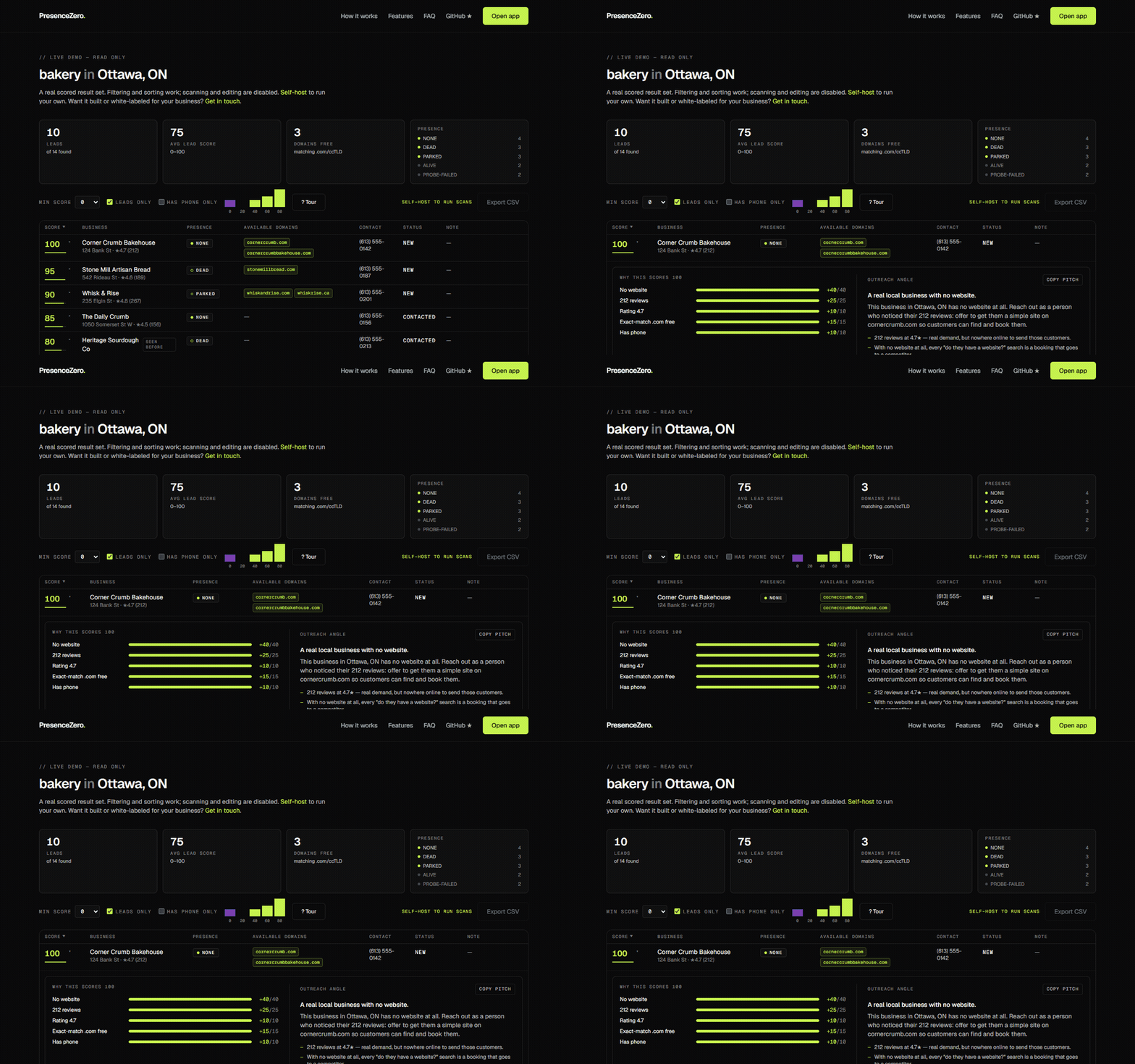
You can click through a real result set in the live demo without installing anything. Paid hosted tools do the same job for a monthly fee or a per-lead price; see how they compare.
One limit to know about: PresenceZero treats any listed URL that loads, a Facebook page included, as alive. If social-only businesses are your target, filter them out of the export by URL.
How to verify a business really has no website
Every source above has false positives. Before you contact anyone, spend thirty seconds on three checks:
- Search the exact business name plus the city. If a site comes up that isn’t linked from the listing, that’s a different pitch (“your Maps profile doesn’t link to your site”), not a new-website pitch.
- Check the obvious domain. Look up
businessname.comand your country’s domain with RDAP. If it is registered, open it. It may be their site, a parked page, or someone else entirely. Our RDAP guide shows how to do this for free. - Load any listed URL yourself. A site that is down today may be back tomorrow. If it fails, try again later before calling it dead.
Which businesses without websites are worth contacting first?
Not every business without a website is a good lead. The ones most likely to say yes usually have:
- Real customers. A healthy review count shows an active business with money coming in. A listing with zero reviews may have closed.
- A good rating. Owners with a 4.5-star reputation have something to show off, and a website is where they can show it.
- A phone number. You need a way to reach them, and a number means they want to be contacted.
- An available matching domain. “I checked, and smithplumbing.com is still available” is a concrete, useful opening line.
These are the signals PresenceZero’s score is built from, and the weights are in a single config file you can retune for your market. If you work through a list by hand, sorting by review count and then by rating gets you most of the way.
Finding businesses without websites near you
Searches for “businesses without websites near me” are popular for a reason: local is an advantage. You can visit in person, you know the neighbourhoods, and “I’m a web designer here in town” earns more trust than an email from a stranger.
Start with your own city and the trades that rely most on being found: plumbers, electricians, cleaners, salons, restaurants, auto repair. Then work outward to nearby towns, where competition among web designers is usually lower.
What to do once you have the list
A list is only the start. Reach out to a few businesses at a time, as a person, with something specific to offer. Mass cold email gets ignored, damages your sender reputation, and in many places breaks anti-spam law. That is also why PresenceZero deliberately has no outreach features.
For the next steps, read how to get web design clients and how to sell websites to local businesses, which includes opening scripts and answers to the objections you will hear most.
Frequently asked questions
Is there a free tool to find businesses without websites?
Yes. PresenceZero is free and open-source (MIT). It runs on OpenStreetMap or your own CSV with no API key, checks each listed website, and checks matching domain availability through RDAP. You can also do it by hand with Google Maps or an Overpass query on OpenStreetMap.
How do I find businesses without websites on Google Maps?
Search a category and city, open each result, and look for listings without a "Website" button. Record the name, phone, rating and review count. Then verify by searching the business name, because some businesses have a site that is not linked on their profile.
How many local businesses don’t have a website?
It varies a lot by country, city and industry. Trades and home services tend to have the highest share without a site. Rather than relying on a headline statistic, scan your own niche and city. That number is the one that matters for your pipeline.
Is it legal to contact businesses I find this way?
Contacting a business one-to-one about a relevant service is normal practice, but rules on unsolicited commercial email differ by country (for example CAN-SPAM in the US and CASL in Canada). Keep outreach personal, identify yourself, honour opt-outs, and check the rules where you and the business operate.
Written by Tahir Nazir
Tahir builds websites and AI call receptionists for local businesses, and wrote PresenceZero to find his own leads. These guides are the playbook he uses with it.